What Are Advantage+ Catalog Ads and Their Setup?
What are Advantage+ catalog ads and what do they need?
Advantage+ catalog ads create personalized ads for the right audiences from a set of products in your catalog. To start you need a Facebook Page, an ad account with registered payment information and a catalog. An Instagram account and a product audience are optional, and Meta supports four campaign objectives.
Advantage+ catalog ads, also called dynamic ads, are how a store turns a product feed into ads without making one creative per product. The setup has a short checklist, three common audience patterns and a few rules about product sets that decide what a shopper sees. Here is what Meta’s documentation says and what to check before you launch.
What are Advantage+ catalog ads?
Meta’s Advantage+ catalog ads guide says the format lets you create personalized ads that target the right audiences based on a set of products. The products come from your catalog, the structured file of items described in Meta’s catalog overview. If you already use these ads, Meta says you already have a catalog and should build on it instead of creating another.
What do I need before launching?
Meta lists the following before you start:
- A Facebook Page representing the advertiser.
- An ad account with registered payment information.
- A catalog, such as a product catalog available in your Meta Business Suite account.
- Optionally, an Instagram account, if you want the campaign to run on Instagram.
- Optionally, a dynamic product audience. Meta says you are not required to use product set inclusions or exclusions in your targeting.
If your ads concern housing, employment, credit, or issues, elections and politics, Meta says different restrictions apply and points to its Special Ad Categories documentation.
Which campaign objectives are supported?
Meta names four objectives for these ads: product catalog sales, conversions, link clicks and app installs. If you choose conversions, link clicks or app installs, the promoted object is not required at the campaign level. At ad set level you must specify the product set you want to promote.
You can also choose the conversion event. By default, Meta says, the event is Purchase, and you can set another standard event such as Add to Cart when optimising for offsite conversions. Meta’s example for paying on impressions pairs the offsite conversions goal with impressions billing. If billing terms are unfamiliar, read what a billing event is on Meta ads.
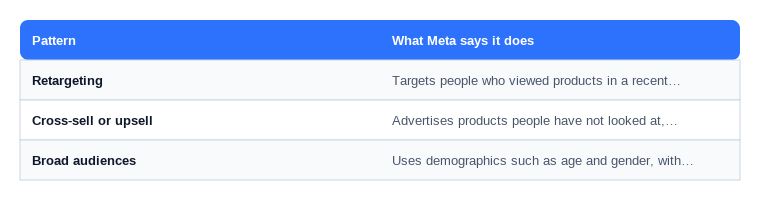
Which audience patterns does Meta describe?
| Pattern | What Meta says it does |
|---|---|
| Retargeting | Targets people who viewed products in a recent window, for example 3 to 5 days, but did not purchase |
| Cross-sell or upsell | Advertises products people have not looked at, or uses events from product set A to show product set B |
| Broad audiences | Uses demographics such as age and gender, with offsite conversion bidding, to reach beyond retargeting and cross-selling |
In Meta’s retargeting example the ad set includes people who viewed content in the window and excludes those who purchased. The handbag and shoes example for cross-selling sets the product audience on one product set and promotes the other.
For broad audiences, Meta’s steps are to create an audience with basic demographics, such as women in the US over 18, and optimise for offsite conversions on stronger intent signals such as Purchase or InitiateCheckout. Its example targets women aged 30 to 65 in the US and excludes people who purchased in the past 10 days.
How do the creative and product sets work?
You promote a product set, and templates fill in details from the data feed at run time. Meta says template creatives can use parameters that render based on your feed data, for example a headline built from the product price. Because the data comes from your catalog, a wrong price or title in the feed becomes a wrong price or title in the ad.
Meta also describes a category option that groups products by brand, product type or Google product category and shows a category carousel. If you have no good image for a category, Meta can auto-generate a 2x2 collage of top products. Treat that as an extra creative option, not a requirement.
What should I check when delivery looks wrong?
Follow the chain the guide implies: catalog, product set, audience, then ad. A few checks, written as advice:
- Open the catalog’s Diagnostics view and Issues tab for item errors. This feed health checklist lists the first things to look at.
- Confirm the promoted product set actually contains the items you expect.
- Look at your conversion event and pixel, because the default event is Purchase and a retargeting audience needs product events. The Meta pixel and Conversions API guide explains event setup.
- Check that a preview shows the product you expected. See how to preview a Meta ad before publishing.
Where does Bach.ai fit?
Bach.ai is our product. It audits Meta and Google Ads accounts and checks tracking and signal health, and it flags disapproved ads as policy blockers, but it does not build your product catalog or create catalog campaigns from a feed, and findings are estimates, not guarantees. On a paid plan a supported change is applied only after you approve it by default. For a full account review, use the Meta ads audit checklist.
FAQ
Do I need a pixel audience to run catalog ads?
No. Meta says a dynamic product audience is optional and that you are not required to include product set inclusions or exclusions in your targeting settings. You can omit the audience and rely on other targeting instead.
Are Advantage+ catalog ads only for retargeting?
No. Meta describes three uses: retargeting people who viewed products, cross-selling between product sets, and broad audience targeting with demographics such as age and gender, paired with bidding for offsite conversions.
Which event does the ad set optimise for by default?
Meta says the default custom event type is Purchase. You can set a different standard event, such as Add to Cart, when the optimisation goal is offsite conversions, so the ad set targets people who performed that event on your site or app.
Is a catalog the same as a product set?
No. The catalog holds all your items. A product set is the group of items you choose to promote, and Meta says you must specify the product set at ad set level to promote products from that set.
Sources, read on 25 November 2026: Advantage+ catalog ads, get started; Catalog overview; Collaborative Ads.