Merchant Center Shipping Settings for Stores
How do I set up shipping settings in Merchant Center?
In Merchant Center open Shipping and returns and give delivery time (order cut-off, handling, transit) and shipping cost for each country you ship to. Keep costs as close as possible to your store, because product-level shipping attributes override account settings, and mismatches cause disapprovals. Free and fast annotations need extra setup.
Shipping is the field stores fill in once and forget, then meet again as a disapproval. Google wants to show shoppers a delivery cost and a delivery time next to your product, and it compares what you submit with what your checkout says. This guide follows Google’s Merchant Center help pages, read on 25 November 2026.
What shipping information does Google need?
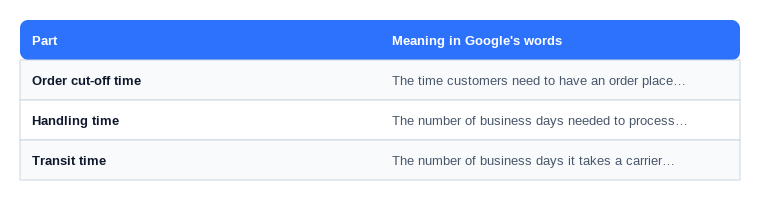
Google says you need to specify delivery times, shipping costs and the countries to associate with them, submitted in the Shipping and returns section of your account. Delivery time has three parts:
| Part | Meaning in Google’s words |
|---|---|
| Order cut-off time | The time customers need to have an order placed to meet your delivery estimates |
| Handling time | The number of business days needed to process an order before it ships |
| Transit time | The number of business days it takes a carrier to deliver after pickup |
Shipping cost covers the carrier cost and other costs directly related to shipping, such as handling, delivery, logistics or carrier fees, and you submit it for a customer’s location, not for your own.
How do account settings and product attributes interact?
Google’s account-level page gives the rules that cause most mistakes. If a product has multiple shipping options in the same country, the lowest shipping cost is calculated and displayed with its associated speed; if costs are identical, the fastest is used. Product-level prices and delivery times in the shipping attribute override account-level settings if the price sub-attribute is also submitted. You can set several dimensions, such as rates by both weight and price using an advanced cost table. Make shipping consistent between account settings and product data, to avoid unexpected behavior.
How close must my shipping cost be?
Google says the costs submitted should be as close as possible to the costs on your online store. If you cannot match exactly, slightly overestimate them. A cost lower than checkout is the risky direction, since the shopper sees one price on Google and another at checkout. See how to fix Merchant Center product disapprovals.
How do I set it up?
- Open Merchant Center and select Shipping and returns under Your business.
- Add a shipping service for each country you sell to.
- Enter the order cut-off time, handling time and transit time for that service.
- Enter the cost: flat, by weight, by price or an advanced table that matches your checkout.
- Check that no product has a conflicting shipping attribute in the feed.
- Review the shipping overview page for issues.
What is the shipping overview page?
Google says shoppers consistently rank shipping among the top considerations in an online purchase. The overview page alerts you to shipping-related issues and gives guidance, KPIs and recommendations. It shows your shipping services, locations, linked partners and data verification, and has a toggle for automatic shipping improvements, currently only for shipments within the US.
How do I show free and fast shipping?
Google’s annotations let you showcase products that you ship quickly and reliably. To participate, shipping must be free (at no cost, or free above a minimum basket value) and fast (delivered within a time that varies by country). Requirements include an active account with products in countries Google lists (the United States, Australia, Brazil, Canada, India, Japan, the United Kingdom and New Zealand), products you identify as free and fast, and shipping settings configured for free and fast shipping. You can opt in all products or a subset, and offer nationwide coverage or specific postal codes.
If you sell on Shopify, Google has a separate set of shipping pages for Shopify users, and how to sync Shopify products to Merchant Center covers the feed side. For returns, read how to set up return policies in Merchant Center.
Where does Bach.ai fit?
Bach.ai is our product. With a Shopify store connected it reads orders, revenue and products, which helps check what you ship against what Google shows. It does not edit Merchant Center settings. On Google Ads, an active paid plan can apply a supported change after you approve it, by default.
FAQ
Why was my product disapproved for shipping?
Google’s help includes how-to-fix pages for missing or inaccurate shipping costs, often from mismatches between your feed, settings and site. Check the Diagnostics page and match shipping to checkout.
Do I set shipping per product or per account?
Either. Account-level settings cover everything; a product-level shipping attribute with a price overrides them for that product. Use product-level only for exceptions so the two do not conflict.
Can I show free shipping only above a basket value?
Google’s free shipping definition includes shipping at no cost if the product price meets a minimum basket value. Set the threshold in your shipping settings and in your store.
Does shipping affect ad performance?
Google says shoppers rank shipping as a top consideration. It does not publish a performance figure on these pages, so test with your own data.
Sources
Sources, each opened and read on 25 Nov 2026: Google Help pages, Set up shipping settings for an entire account; What shipping information do I need to provide?; Show users that you offer free and fast shipping; Use the shipping overview page. Menu names and limits change, so check the page before you act.