How Do I Prove What I Changed in a Client's Account?
How do I prove what I changed in a client's ad account?
Open Activity history in Ads Manager for the campaign, ad set or ad, filter by activity type and by who made the change, and save the record with a dated note. Meta logs who made each change, what changed and when. Pair it with your own baseline and a change log.
The awkward conversation goes: “Performance dropped after you touched the account.” You need to show what you changed and when, and what the account looked like before. Meta keeps part of that record for you; the rest is your habit.
What does activity history record?
Meta says Ads Manager tracks all changes made to campaigns, ad sets and ads, so you can see who made changes, what was changed and when (How to view activity history). The categories you can view include account events such as ads approved or rejected, ads, ad sets, audience, bid, budget (and changes to the payment method, such as removing an expired card), campaigns, run status when you pause, resume or delete, schedule and targeting. Meta also notes that anyone with the admin or advertiser role can change campaigns, so unrecognised changes should lead you to check permissions.
How do I view it?
- In Ads Manager, select Campaigns, Ad sets or Ads.
- Select the campaign, ad set or ad you want.
- Click Activity history on the right to open the side panel.
- Use the Activity types filter to show budgets, schedules, targeting and other types, or all activity.
- Use Changed by to see who made changes. Meta says you may see your own name, the name of anyone with an admin or advertiser role, the name of an automated rule that made the change, or the name of an authorised business identity that has or had an ad account role.
- Take a dated screenshot or note the entries you need.
What does it not cover?
Activity history covers the ad account. It does not record changes to your website, your tracking code or the dataset, nor decisions made outside Ads Manager. Rules you set can change ads; Meta’s automated rules have their own Activity tab with results such as notification sent, objects turned off or budgets increased (Manage automated rules), so check both when something changed without a person touching it. If you use an AI connector, Meta says its activity logs mirror the Ads Manager campaign history page (Meta ads AI connectors).
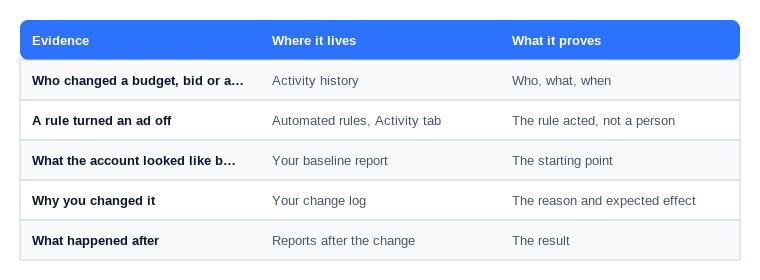
| Evidence | Where it lives | What it proves |
|---|---|---|
| Who changed a budget, bid or audience | Activity history | Who, what, when |
| A rule turned an ad off | Automated rules, Activity tab | The rule acted, not a person |
| What the account looked like before | Your baseline report | The starting point |
| Why you changed it | Your change log | The reason and expected effect |
| What happened after | Reports after the change | The result |
What should my change log hold?
Keep one line per change: date and time, account, object, what changed, old value, new value, reason and the metric you expect to move. Write it before the change, not after, so the log shows intent. Note the learning impact: Meta lists changes that count as significant edits and send an ad set back into learning, such as targeting, creative, optimization event, a new ad, bid strategy changes or pausing for 7 days or more (Significant edits). Mark any entry that is one.
What should I do when the record shows a change I did not make?
Do not assume bad faith. First check whether it was a rule: Meta says rule changes display the rule’s name, and you can review rules in the Manage rules table. Then check whether a person with an admin or advertiser role made it, since anyone with those roles can change campaigns. If you see a name you do not recognise, review the roles on the ad account and remove anyone who should not have access, following What Meta access should each agency team member have?. Record what you found and the date, and tell the client in plain words what was changed, by whom and what you did next.
Reviewing the history before you start work on an inherited account also helps. The last 30 days of changes show how the previous manager worked: how often they edited, whether they paused and restarted ads, and whether rules were running. That context explains a lot of odd behaviour in the data before you change anything.
How does this protect the agency?
It turns a dispute into a timeline. If results dropped two days after a significant edit, you can show whether the edit preceded the drop and what the account was doing before. If the change came from the client’s team or a rule, the record shows that too. Keep a baseline from onboarding; Agency Checklist to Onboard a New Meta Ads Client builds one. And for the account’s health in a dispute, Is my performance drop creative fatigue or something else? helps separate causes.
How often should I save the record?
Monthly for steady accounts, weekly during a test or rebuild, and immediately before any large change. Save it with your report so the history travels with the numbers. Archive it with the client file; remember the data belongs to the client, and handle it under your contract. The Meta ads audit checklist includes an access review that pairs with this.
Can software help?
Bach.ai logs every change it applies with the reason, and proposes changes for your approval by default on a paid plan, so the record of what it did is separate from yours. It does not replace Meta’s activity history or your own log, and it cannot recover a change made outside it.
FAQ
How far back does activity history go?
Meta’s page I fetched does not state a limit, so save what you need regularly instead of relying on it.
Can I see who paused an ad?
Yes. Meta lists run status changes, including pause, resume and delete, with who made them.
Does it show changes made by automated rules?
Yes. Meta says changes made by automated rules display the rule name, so check the entry before you attribute a change to a person.
Should I tell the client I keep a change log?
Yes. Share it in the monthly report. It builds trust and shows your reasoning.
Sources: Meta Business Help Center, How to view activity history for your ads, Manage automated rules, Significant edits and learning phase, Manage ads from an AI agent with Meta ads AI connectors (checked 25 Nov 2026); Bach.ai capabilities from our features page.