How to Offboard a Client From Meta Ads (Checklist)
How do I offboard a client from Meta ads?
Export your final reports first, then remove your access in the order Meta provides: remove the partner link in the client's business portfolio or leave it yourself, remove your team's individual roles on the ad account, and review billing and spending limits. Record the date and who approved each step.
Clients leave. How cleanly you leave decides whether you are blamed for what happens next. The steps below follow Meta’s own settings, and the order matters because some actions remove your ability to do the next one.
What should I do before I remove any access?
Do the data work first, while you can still see the account:
- Export final performance reports for the agreed date range. Meta’s default export is a .csv with summary totals and excludes deleted campaign data, and its maximum reporting window is 37 months from the date of request (Export performance data).
- Save activity history for the last quarter so there is a record of what you changed (View activity history).
- List the assets in use: ad accounts, pixel or dataset, catalog, Pages, Instagram account.
- Note active campaigns and their daily budgets so the client can see what is running on the day of handover.
- Send the client a written handover note and wait for acknowledgement.
How do I remove my agency’s access?
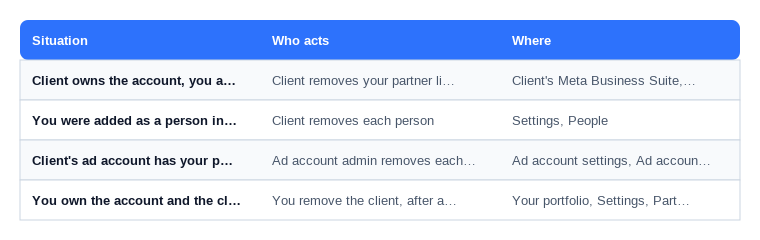
There are two different removals in Meta, and Meta states they are different. Removing a partner from a business portfolio revokes the partner business’s access; removing a person from a business portfolio revokes that person’s access to the portfolio and every asset they reach through it (Remove partners, Remove people). Both require full control of the portfolio doing the removing.
| Situation | Who acts | Where |
|---|---|---|
| Client owns the account, you are a partner | Client removes your partner link | Client’s Meta Business Suite, Settings, Partners |
| You were added as a person in the client’s portfolio | Client removes each person | Settings, People |
| Client’s ad account has your people on it directly | Ad account admin removes each person | Ad account settings, Ad account roles |
| You own the account and the client is a partner | You remove the client, after agreeing transfer | Your portfolio, Settings, Partners |
A person with admin access can remove someone from an ad account in Ads Manager settings, in the Ad account roles section, and changes take effect immediately (Manage permissions). Meta adds that you do not have to be an admin to remove yourself from an ad account.
What about billing and spending limits?
Billing is where offboarding goes wrong most often. Check three things: whose payment method is on the account, whether a spending limit is set, and whether any balance is outstanding. If you paid for ads on your card, remove it only after the client has added their own, or delivery may stop. Why did my Meta ads payment fail? lists the symptoms of a payment problem so you can tell the client what to expect.
What if the ad account sits in my portfolio?
Then ownership has to move or the account has to be rebuilt. Agree which before you remove anyone. Meta says you can deactivate an ad account owned by your portfolio, which stops all current campaigns and prevents resuming or creating ads while keeping historical data visible, and that any outstanding balance is charged to your card before payment methods are removed (How to deactivate an ad account). Do not do this to a client’s live account without written instruction.
How do I close it out?
- Remove your partner link or your people, one set at a time, and confirm the account still loads for the client.
- Ask the client to check they see the campaigns, audiences and pixel.
- Remove your pixel or dataset access if it was shared separately.
- Delete exports you no longer need to keep, in line with your data-retention terms.
- Record the date, who approved it and what was handed over.
- Review whether any automation or tool you connected still holds a token for the account, and disconnect it.
Offboarding also tests your onboarding: Agency Checklist to Onboard a New Meta Ads Client is the matching start-of-engagement list. For guidance on who should own the account in the first place, see Who should own a client’s Meta ad account?.
Can software help?
Bach.ai keeps findings and a change log per brand, so the record of what was proposed, approved and applied is easy to export for the handover note. When a client leaves you disconnect the brand; it does not remove anything on Meta, which remains the owner’s settings. See the Meta ads audit checklist if you want a baseline to hand over.
FAQ
Should I remove access the day the contract ends?
Yes, on the agreed date and in writing. Leaving access open creates liability for changes you no longer control.
Can I keep reports after I leave?
Keep what your contract allows. Remember they contain the client’s performance data, so treat them as confidential.
What if the client will not confirm the handover?
Send the handover note, set a short deadline and remove your access on that date if the contract allows it. Keep the correspondence.
What happens to running ads when I leave?
They keep running on the account’s existing budgets unless someone pauses them, so state in the handover who now owns that decision.
Sources: Meta Business Help Center, Remove partners from your business portfolio, Remove people from your business portfolio, Manage permissions on your ad account, Deactivate an ad account, Export performance data, View activity history (checked 25 Nov 2026); Bach.ai capabilities from our features page.